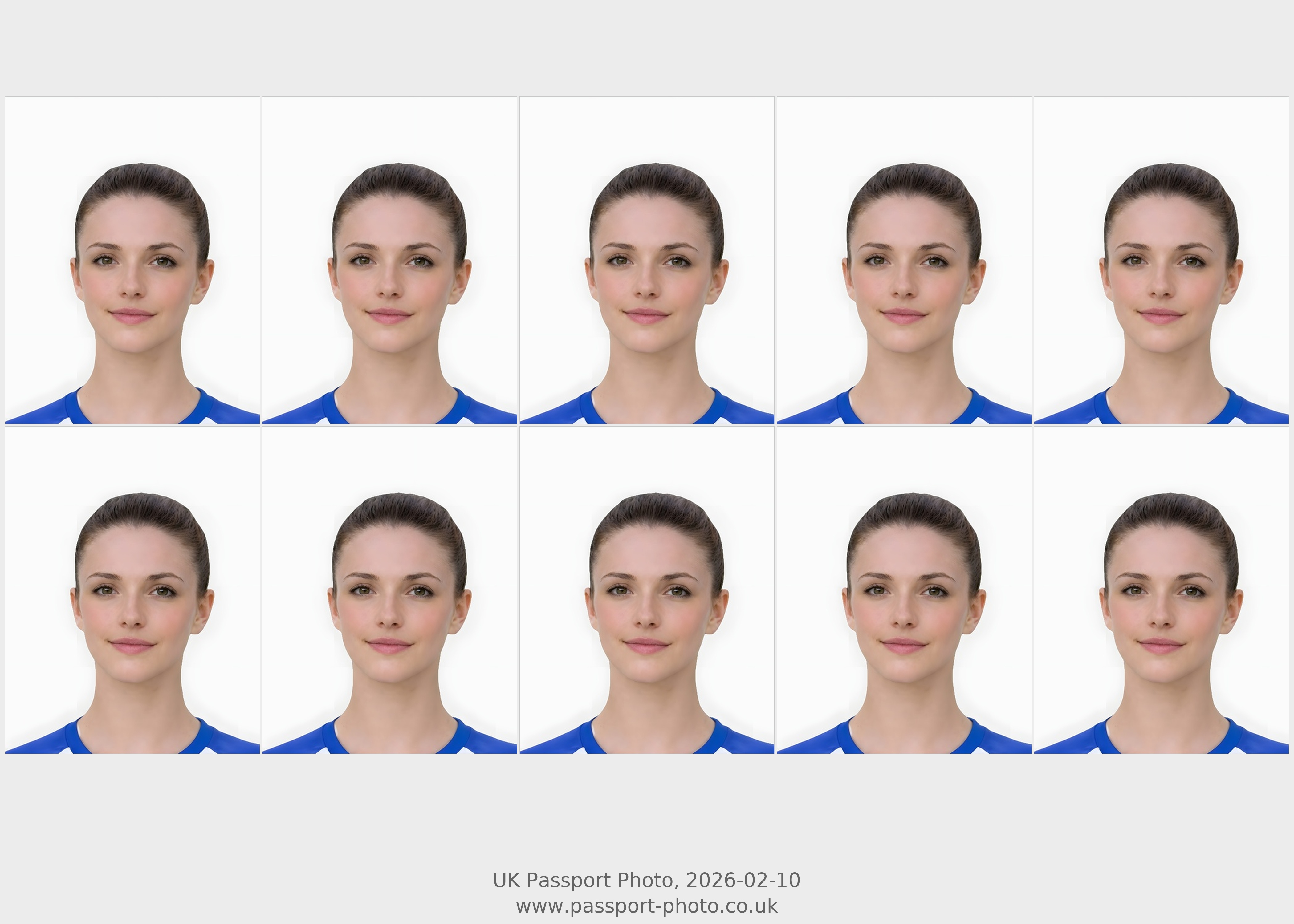
The page must reassure users that they are on a print-focused route, not a generic download page.
- A printable layout designed for passport-size photo output.
- Clear wording about when this output is useful and when a digital file is the better fit.
- Guidance that reminds the user the printed result still depends on a clear, well-framed source image.
- Links back to the main requirements page so the visitor can confirm the fundamentals before printing.
Printing is often where users realize the original photo was weaker than they thought.
- Check sharpness first, because softness becomes more obvious once the image is output physically.
- Make sure the crop and head position look stable before generating the final sheet.
- Use a source photo with even lighting so facial detail does not disappear in the printed result.
- Confirm that the application path really needs a printable photo and not just a digital submission.
Print-intent pages should reduce buyer regret.
- Using a dark or noisy phone photo and noticing the quality problem only after printing.
- Choosing the printable sheet when the application only needed a digital image.
- Ignoring head size and crop alignment until the paper version makes the framing problem obvious.
- Printing too early without comparing the result against the requirements and rejection examples.
The user needs a short path from preparation to printable output.
- Upload the source image and review the prepared result.
- Check the requirement and rejection guidance if anything still looks uncertain.
- Choose the print-ready output when the user really needs a paper sheet.
- Print at home or through a photo shop only after confirming the image quality is strong enough.
What is a print-ready passport photo?
It is a prepared image sheet designed for printing passport-size photos rather than for digital-only submission.
Can I print it at home?
Yes, many users print at home or through a shop, as long as the image quality and print quality are both good enough.
Is a digital photo the same as a print-ready photo?
No. A digital submission file and a printable layout solve different application needs even if they start from the same source image.
Why should this page exist separately?
Because users searching for a printable passport photo have different intent from people searching for a digital online-submission file.
Prepare your photo before you submit it
Use the upload flow when you already have a source image, or keep exploring the guides if you still need to fix the setup first.